Priority Matrix Template: How to Set One Up (And Why an App Is Better)

You searched for a priority matrix template, so let's get you one. Below you'll find everything you need to set up a working Eisenhower Matrix in a spreadsheet, in Notion, or on paper. No signup, no paywall, no "download our free guide" landing page.
But here's the honest truth: templates work great for your first week. By week three, most people stop using them. Not because the framework is flawed — it's excellent — but because templates require manual effort that gets old fast. So after we cover the template, we'll explain why a dedicated app solves the maintenance problem that templates can't.
The Priority Matrix Template (Paper Version)
The simplest version requires a sheet of paper and a pen. Draw a large plus sign dividing the page into four quadrants. Label them:
Top left — Q1: DO (Urgent + Important) Tasks with real deadlines and real consequences. Handle these immediately.
Top right — Q2: SCHEDULE (Important + Not Urgent) Strategic work, professional development, relationship building. Block time for these on your calendar.
Bottom left — Q3: DELEGATE (Urgent + Not Important) Tasks that need to happen soon but don't require your specific skills. Hand off, batch, or minimize.
Bottom right — Q4: ELIMINATE (Not Urgent + Not Important) Busywork, distractions, tasks done out of habit. Stop doing these.
Write each of your current tasks in the appropriate quadrant. That's your priority matrix. Review it daily, update it weekly.
For a more polished version, use an index card or a dedicated page in your notebook. Some people tape their matrix to their monitor as a visual reminder of where their attention should be.
The Priority Matrix Template (Spreadsheet Version)
If you prefer digital, here's how to build a priority matrix in Excel or Google Sheets in about five minutes.
Setup
- Open a new spreadsheet.
- In cell A1, type "URGENT". In cell C1, type "NOT URGENT".
- In cell A2, type "IMPORTANT" and merge cells A2:A3 (or just leave A2 as a label).
- Create four sections:
Columns A-B, Rows 3-15: Q1 — Do (Urgent + Important) Columns C-D, Rows 3-15: Q2 — Schedule (Important + Not Urgent) Columns A-B, Rows 17-30: Q3 — Delegate (Urgent + Not Important) Columns C-D, Rows 17-30: Q4 — Eliminate (Not Urgent + Not Important)
- Add color coding: green for Q1, blue for Q2, yellow for Q3, red for Q4.
- In each section, create two columns: "Task" and "Due Date" (optional).
Usage
Each morning or at the start of your week, type your tasks into the appropriate quadrant. When a task is complete, strikethrough the text or delete the row. When priorities shift, cut and paste tasks between quadrants.
Limitations of the spreadsheet approach
- Moving tasks between quadrants requires manual cut-and-paste
- No notifications or reminders
- No mobile access unless you use Google Sheets (and even then, the experience on a phone is poor)
- Completed tasks need manual cleanup
- No recurring task capability — you'll re-type the same weekly tasks every week
- No analytics on how you're spending time across quadrants
The spreadsheet works. But it requires discipline to maintain, and the friction increases with every task you add.
The Priority Matrix Template (Notion Version)
Notion's flexibility makes it a popular choice for Eisenhower Matrix templates. Here's a clean setup.
Option 1: Simple four-page layout
Create a new Notion page. Add four columns using a column block (two columns, each containing two callout blocks). Label each callout as a quadrant with an appropriate emoji:
- Q1: Do Now
- Q2: Schedule
- Q3: Delegate
- Q4: Eliminate
Inside each callout, add a to-do list. Check items off as you complete them.
This is fast to set up and visually clean. The downside: it's essentially a fancy checkbox list. Tasks can't be easily moved between quadrants, there's no due date tracking, and it doesn't scale well past 10-15 items.
Option 2: Database with quadrant property
For a more robust approach:
- Create a Notion database (table view).
- Add properties:
- Task (title)
- Quadrant (select: Q1-Do, Q2-Schedule, Q3-Delegate, Q4-Eliminate)
- Due Date (date)
- Status (select: To Do, In Progress, Done)
- Notes (text)
- Create a Board view grouped by Quadrant.
- Optionally, create a Gallery view for a more visual matrix layout.
This approach lets you drag tasks between quadrants on the board view, filter by status, and sort by due date. It's significantly better than the spreadsheet.
Limitations of the Notion approach
- Notion loads slowly on mobile — not ideal for quick task capture
- Board view works well but doesn't visually represent a 2x2 matrix
- Setup requires familiarity with Notion databases
- No native reminders for tasks (you'd need to integrate with a calendar)
- Recurring tasks require manual duplication or complex formulas
- Notion's learning curve is steep for people who just want a priority matrix
Why Templates Eventually Get Abandoned
Templates — whether paper, spreadsheet, or Notion — share a common failure mode. They work well during the initial enthusiasm phase (week 1-2) and then get progressively harder to maintain.
Here's what typically happens:
Week 1: You set up the template. You sort all your tasks. You feel organized and motivated. The matrix is working.
Week 2: You mostly keep it updated, though a few tasks are in the wrong quadrant because you forgot to move them. Your paper version has a few crossed-out items that make it hard to read.
Week 3: You're busy. You skip the daily update. Tasks accumulate in your head instead of the matrix. You promise yourself you'll catch up on Sunday.
Week 4: The template is outdated. Rebuilding it feels like more work than starting fresh. You abandon it — not because the framework failed, but because the tool couldn't keep up with your life.
The pattern repeats: discover the Eisenhower Matrix, find a template, use it enthusiastically, watch it decay, abandon it, and eventually rediscover it six months later. Search for another template. Repeat.
This isn't a willpower problem. It's a friction problem. Templates require you to be the engine that keeps them running. Every task entry, every quadrant move, every weekly cleanup, every recurring task re-entry — it's all manual. And manual systems break down the moment life gets busy, which is precisely when you need the system most.
What a Dedicated App Does That Templates Can't
A purpose-built Eisenhower Matrix app automates the maintenance that kills templates. Here's what that looks like in practice.
Instant capture from anywhere
Grabbing your phone and adding a task to the right quadrant takes about five seconds. No opening a spreadsheet, finding the right cell, typing, formatting. Tap, type, assign quadrant, done. The lower the friction of adding tasks, the more likely you are to actually capture everything.
Drag-and-drop between quadrants
Priorities shift. A Quadrant 2 task becomes Quadrant 1 when its deadline approaches. A Quadrant 1 item becomes irrelevant when a project gets canceled. In a template, you're cutting and pasting. In an app, you drag it to the new quadrant. One gesture.
Recurring tasks
Your weekly review, your monthly report, your daily planning session — these happen on a schedule. In a template, you manually re-enter them every week. In an app, you set them up once and they reappear automatically. This single feature is often what separates people who maintain the habit from people who abandon it.
Cross-device sync
Your priority matrix should be accessible wherever you are — on your phone during a commute, on your laptop at work, on your tablet at home. Templates are typically locked to one device or require clunky workarounds for cross-platform access. A cloud-synced app just works.
Completion tracking and insights
Over time, patterns emerge. Do you consistently overload Quadrant 1? Are you neglecting Quadrant 2? How many tasks did you complete last week versus this week? A template doesn't track this. An app with analytics shows you trends that help you improve your prioritization over time.
Notifications and reminders
A paper template can't tap you on the shoulder at 9 AM and remind you about your weekly review. A spreadsheet can't nudge you when a Quadrant 2 deadline is approaching. An app can — and those nudges are often the difference between maintaining the system and forgetting it exists.
When a Template Is the Right Choice
Templates aren't always wrong. They're the right choice if:
- You're trying the Eisenhower Matrix for the first time and want to test the framework before committing to an app
- You prefer pen and paper for cognitive reasons (writing by hand improves retention for some people)
- You have a small number of tasks (under 15) and don't need recurring tasks or cross-device access
- You're in a meeting and want to quickly sketch a priority matrix for a specific decision
The paper version is also excellent as a workshop or team exercise. Drawing a matrix on a whiteboard and sorting tasks as a group is a powerful alignment tool that doesn't require everyone to download an app.
Moving From Template to App
If you've been using a template and want to upgrade to an app, the transition is straightforward.
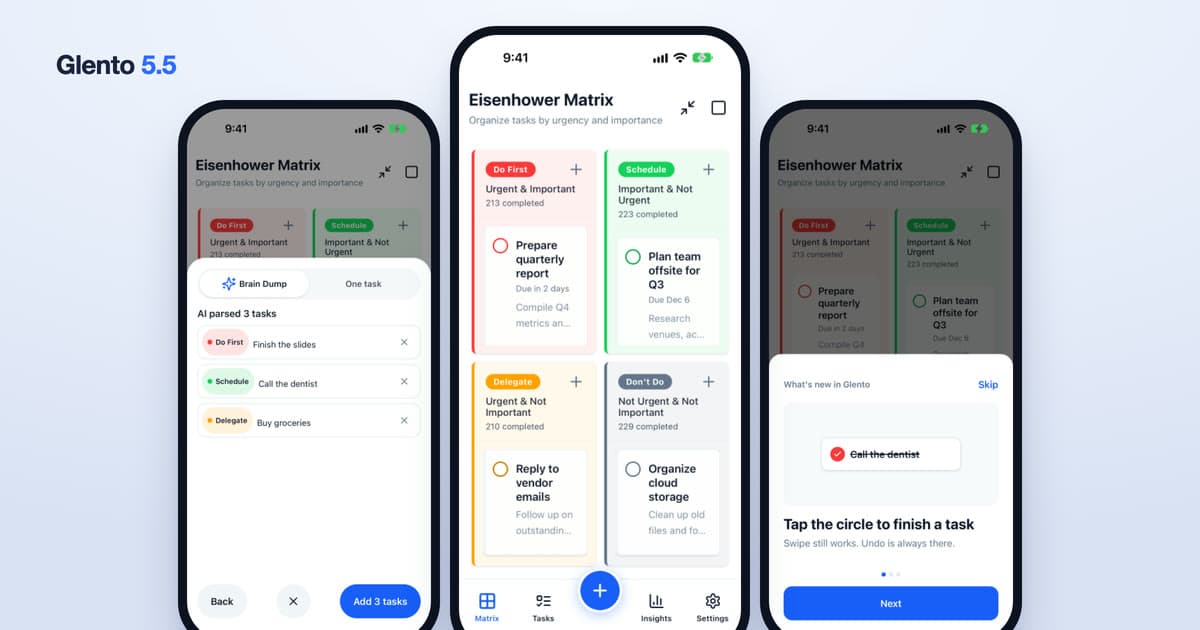
Focus Matrix is built around the same four-quadrant framework you've been using on paper or in a spreadsheet. The interface is a visual matrix — not a list — so the mental model is identical. You'll see your four quadrants, drag tasks between them, and check things off as you complete them.
The free tier includes the full Eisenhower Matrix, unlimited tasks, and all four quadrants. Pro adds recurring tasks, cloud sync across devices, and insights analytics — the features that solve the maintenance problems templates can't.
It's available on iOS (App Store), Android (Google Play), and the web at focusmatrix.app.
The Framework Matters More Than the Tool
Whether you use a sticky note, a spreadsheet, a Notion database, or a dedicated app, the Eisenhower Matrix works because it answers the question that flat to-do lists ignore: "Is this actually important, or just urgent?"
Start with whatever tool you have. If paper works for you, use paper. If you outgrow it, an app is there to take over. The important thing is that you're sorting your tasks into quadrants instead of stacking them in an undifferentiated pile.
The tool is replaceable. The habit of distinguishing urgent from important — that's what changes your productivity.