Skipped Sign-In? Your Free Week of AI Is Still Waiting
Glento works without an account. That's on purpose: you can sort tasks into the four quadrants, set reminders and use the widgets without ever telling us who you are.
But the parts people tell us they like most need you to sign in: AI that suggests where each task belongs, Brain Dump that turns a messy list into sorted tasks, Daily Focus and the Weekly Review. The first time you sign in, all of it unlocks for a week, free, with no card.
Most people never find that out. The offer appears once, during setup, at the moment you're trying to get past setup. More than half of the people who start Glento skip sign-in and never see it again.
Today's update gives that offer a second chance, just once.
The short version
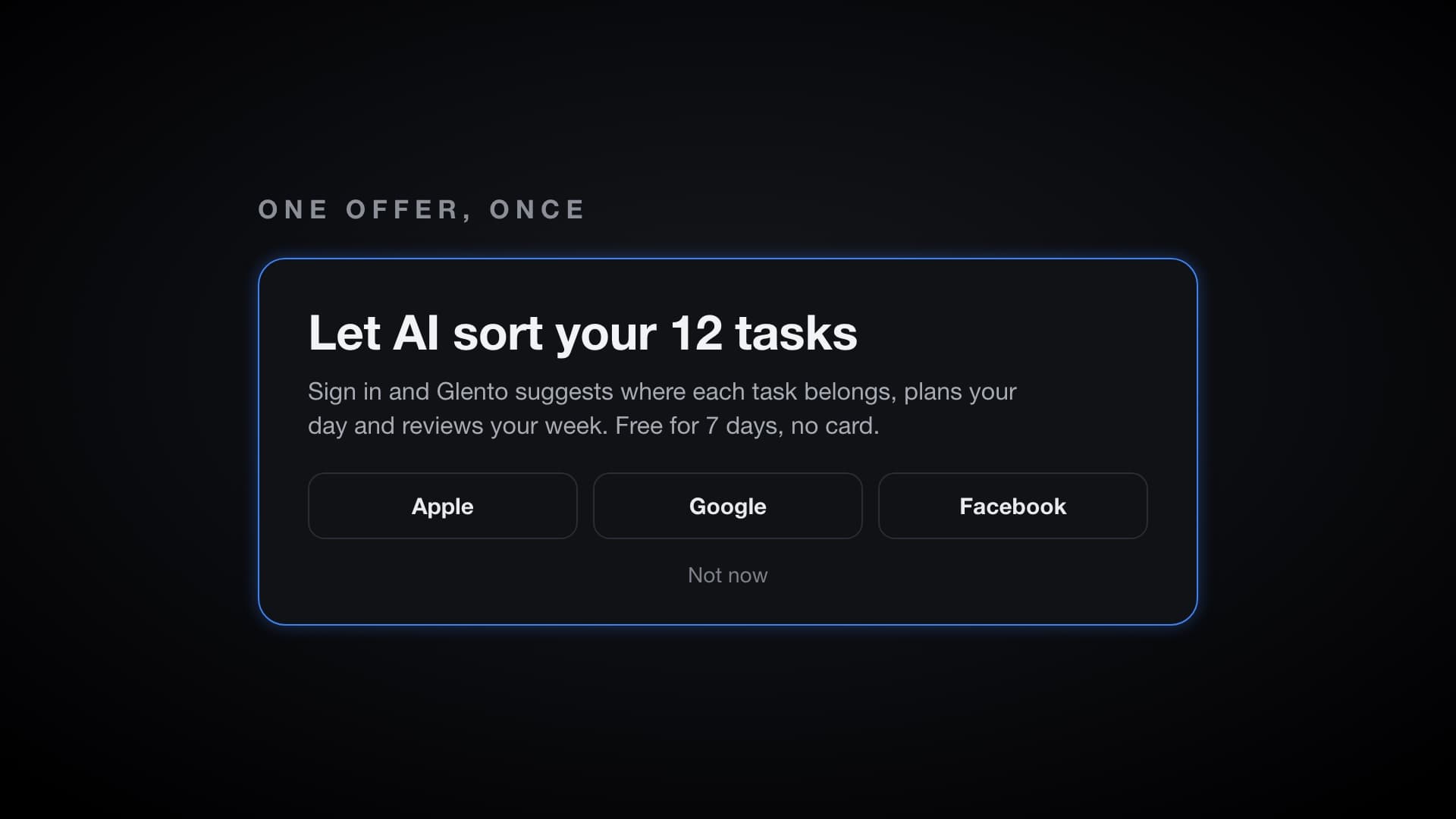
- Skipped sign-in? When you open Glento again 20 or more hours later, you'll see one short sheet offering your free week of AI, with the sign-in buttons right on it.
- It shows once. Tap Not now and it's gone for good. No repeat reminders.
- After any sign-in, Glento now tells you exactly what you have and until when: a new free week, the days left on one you already started, a free week that has ended, or Pro.
- Your countdown is now exact. Glento's countdown ends at the same moment your free week does.
- On iPhone, Android and the web app.
One offer, at a better moment
Setup is a bad time to decide anything. You haven't added a task yet, so there's nothing for AI to sort and no reason to care.
Coming back later is different. You've used the app. You have a list. So when you open Glento again, the sheet talks about your actual tasks. If you have some, it says Let AI sort your tasks with the number of tasks you have. If your matrix is empty, it offers to try Pro free for 7 days. Either way it explains what you get: Glento suggests where each task belongs, plans your day and reviews your week.
Sign in with Apple, Google or Facebook right there, or tap Not now. That's the whole interaction, and you won't be asked again.
If you skipped sign-in before this update, you're included too. The offer appears when you open Glento 20 or more hours after you first open the update.
Knowing what you have
Signing in used to drop you back where you were, with no word on what had changed. Had your free week started? Was it already over? You had to go and find out.
Now, whenever you sign in from anywhere other than setup, Glento tells you straight away:
- New account: your free week starts now, with the start and end dates. Nothing to cancel, because there's no card on file.
- Free week already started: how many days are left. It began the first time you signed in, so signing out and back in doesn't restart it.
- Free week over: you're on the free plan, which keeps your whole matrix, 10 AI suggestions a month and the Weekly Review. Pro plans are one tap away if you want more.
- Already Pro: everything is unlocked.
One honest note: cloud backup and sync aren't part of the free week. They need a Pro subscription, and the confirmation says so.
A countdown you can trust
There was a quiet bug here, and it's fixed. The app counted your free week in whole days, so for up to a day after it ended, Glento could still say 0 days left while AI had already stopped working.
The app now uses the exact moment your free week ends, the same one Glento's servers use. While the app says your free week is on, AI works, and both end together.
Getting it
The update is rolling out now.
- iPhone and iPad: App Store
- Android: Google Play
- Web: app.glento.ai
Your tasks stay on your device whether you sign in or not. If something about this update feels off, tell us.