Glento Now Speaks 25 Languages, Including Arabic and Urdu
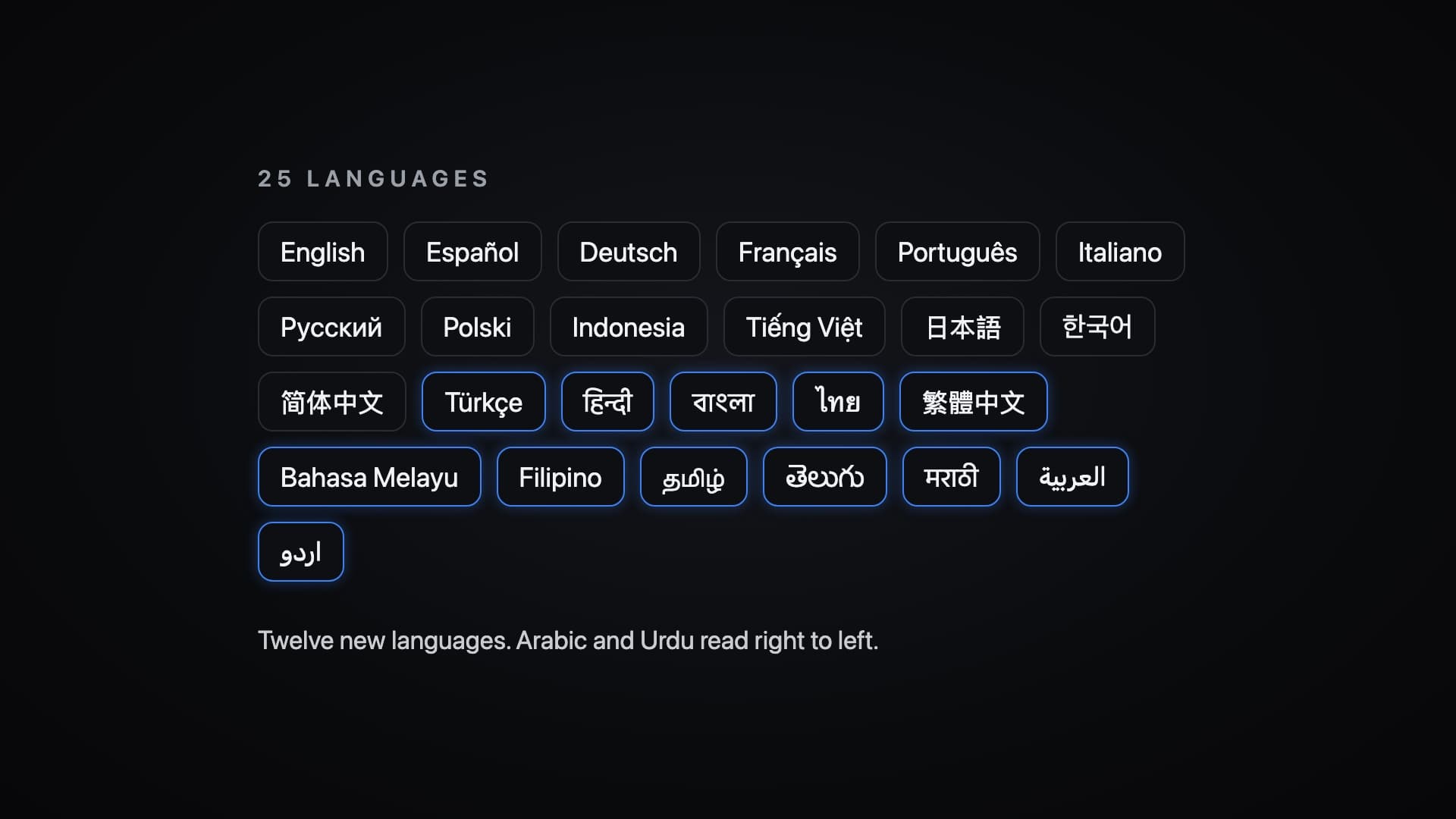
A month ago Glento learned nine new languages, for 13 in all. Today it speaks 25. Twelve new languages arrive in Glento 5.4.2, and two of them, Arabic and Urdu, read right to left, so the whole app turns around for them.
The short version
- Twelve new languages: Turkish, Hindi, Bengali, Thai, Traditional Chinese, Malay, Filipino, Tamil, Telugu, Marathi, Arabic and Urdu.
- Arabic and Urdu, fully right to left: the matrix, the swipes and the home-screen widgets all mirror.
- Native digits where people expect them: Arabic, Bengali and Marathi.
- Widgets, shortcuts and Siri in every new language.
- glento.ai is now in all 25 languages too.
- On iPhone, Android and the web app.
Twelve new languages
The app is now fully translated into:
- Türkçe
- हिन्दी
- বাংলা
- ไทย
- 繁體中文
- Bahasa Melayu
- Filipino
- தமிழ்
- తెలుగు
- मराठी
- العربية
- اردو
They join English, Español, Deutsch, Français, Português, Italiano, Русский, Polski, Bahasa Indonesia, Tiếng Việt, 日本語, 한국어 and 简体中文.
Every screen, button, hint and notification is in your language, along with onboarding, settings and the upgrade screen. So are the parts that talk back: AI quadrant suggestions, Brain Dump, Daily Focus and your Weekly Review are all written in the language you use the app in.
The quadrant names were chosen for each language, short enough for a widget and clearly different from the button that deletes a task. In Turkish that's Önce Yap, Planla, Devret, Yapma. In Hindi, अभी करें, शेड्यूल करें, सौंपें, न करें. In Marathi, लगेच करा, नियोजन करा, सोपवा, करू नका.
Right to left, all the way
Arabic and Urdu aren't English with the words swapped. They read from right to left, so in those languages Glento reads that way too.
- The matrix mirrors. Do First sits in the top right, where your eye starts, and the other three quadrants follow.
- Swipes reverse to match, and the help text that explains them says so.
- Home-screen widgets mirror on iPhone, iPad and Android.
- Text lines up properly, even when a line opens with a word like Glento.
On iPhone and Android, switching into or out of Arabic or Urdu asks you to restart Glento once, so the whole layout can turn around. On the web it switches straight away.
In Arabic, the matrix reads نفّذ أولًا، جدوِل، فوّض، لا تنفّذ.
Numbers that look like yours
In Arabic, Bengali and Marathi, many people write numbers in their own digits rather than 0 to 9. Glento now does the same: task counts, dates, times, widgets and Siri replies all use them. Dates stay on the Gregorian calendar.
Widgets, shortcuts and Siri
The parts of Glento that live outside the app speak your language too:
- Home-screen widgets on iPhone, iPad and Android, including their names in the widget picker.
- Android shortcuts, the ones you see when you long-press the app icon.
- Siri and Shortcuts on iPhone: Glento's phrases and replies are in your language, wherever your iPhone supports it.
glento.ai in 25 languages
The website now matches the app. The home page, the Eisenhower Matrix guide, the feature pages and pricing are in all 25 languages, and Arabic and Urdu read right to left there too. Pick yours from the language menu at the top of any page. The blog stays in English.
Picking your language
Glento follows your phone's language automatically. To use a different one, open Settings → Language and choose. Everything the AI writes from then on follows your choice.
If a word in your language reads oddly, tell us. We read every message.
Getting it
The update is rolling out now.
- iPhone and iPad: App Store
- Android: Google Play
- Web: app.glento.ai
Nothing else changes. Your tasks, your subscription and your data stay exactly where they were.